The Best Keyboards of 2026
| Product | Score | Typing feel & layout(30%) | Connectivity & multi-device(20%) | 3-Year Cost |
|---|---|---|---|---|
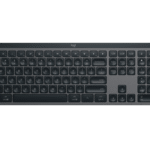 Logitech MX Keys SBest Overall |
8.9 |
8.5/10 |
9.5/10 |
$119.99checked Sep 15, 2026 |
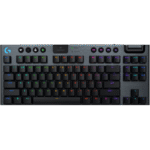 Logitech G915 X TKLAlso Great |
8.3 |
9.0/10 |
9.0/10 |
$229.99checked Sep 15, 2026 |
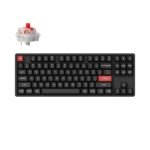 Keychron K8 Pro (Aluminum Frame)Best Value |
7.9 |
7.5/10 |
8.0/10 |
$74.99checked Sep 15, 2026 |
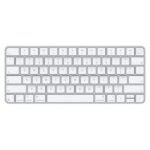 Apple Magic Keyboard with Touch IDAlso Consider |
7.5 |
8.0/10 |
6.0/10 |
$149.00checked Sep 15, 2026 |
 Ducky One 3 SF ClassicAlso Consider |
6.6 |
8.5/10 |
3.0/10 |
$109.00checked Sep 15, 2026 |
Sorted by score. Prices come from each seller's site on the date shown and change often.
Brand claim vs independent measurement
| Product | What the brand claims | Independent figure | Source |
|---|---|---|---|
| Logitech MX Keys SKey travel distance and average operation force | Logitech does not publish an exact travel distance in mm or operation force in gf on the MX Keys S product page | 1.9 mm total key travel and 60.15 gf average operation force, measured in TechGearLab's lab | TechGearLab |
| Apple Magic Keyboard with Touch IDAverage operation force | Apple does not publish a key travel or operation force spec for the Magic Keyboard with Touch ID | 62.06 gf average operation force, measured by TechGearLab on the Touch ID and Numeric Keypad sibling, which uses the same scissor switch | TechGearLab |
| Logitech G915 X TKLSingle-key input latency | Logitech markets Lightspeed wireless as imperceptible lag but does not publish an exact millisecond figure on the G915 X TKL product page | 5 milliseconds or less single-key latency, measured by TechGearLab on the full-size G915 X Lightspeed sibling, which shares the TKL's GL low-profile switches and wireless system | TechGearLab |
| Keychron K8 ProSwitch actuation force and travel distance | Keychron does not publish actuation force in gf or travel distance in mm for the K Pro Red switch on the K8 Pro product page | Not published. RTINGS' review of the Keychron K Pro series, which covers the K8 Pro, confirms hot-swap support on the Gateron configuration and N-key rollover but lists no gf or mm figures as of Sep 16, 2026 | RTINGS |
| Ducky One 3 SFSwitch actuation force and travel distance | Ducky's US retailer listing does not publish actuation force or travel distance for the Cherry MX Brown switch | Not published for the 65% SF size specifically. RTINGS tested only the full-size Ducky One 3, which shares the same Cherry MX switch options and QUACK dampening, with no SF-specific lab data as of Sep 16, 2026 | RTINGS |
We do not run these tests ourselves. Independent figures are quoted from the source named in each row.
Start with the Logitech MX Keys S if you want one keyboard for a desk that mixes a Windows laptop, a Mac, and a phone. At $119.99, it pairs with up to three Bluetooth devices and switches between them with a single key press, and it comes out as the highest scoring keyboard in this guide once typing feel, connectivity, battery life, build, and three year cost are weighed together. Every pick below comes from published specs, certification listings, and named third party lab measurements, not from a lab we run ourselves; the full method is on the how we score page.
For typing feel and tri-mode connectivity in a board that can also handle games, the Logitech G915 X TKL is the pick, though its $229.99 price is the highest here. Keychron’s K8 Pro undercuts it by more than $150 while still covering Bluetooth and wired connections. A Mac-only household that wants Touch ID built into the keyboard should look at the Apple Magic Keyboard with Touch ID, and anyone who wants a hot swappable mechanical board in a smaller footprint should see the Ducky One 3 SF.
How we picked
We weighed five criteria: typing feel and layout (30%), connectivity and multi-device support (20%), battery life (15%), build quality and warranty (15%), and three year cost of ownership (20%). Every keyboard below cleared 6.0 out of 10 on the weighted total; nothing here is a filler pick.
Specs and prices came straight from each brand’s own product page: Logitech’s MX Keys S and G915 X TKL listings, Keychron’s K8 Pro page, Apple’s Magic Keyboard with Touch ID page and its published tech specs, and the Ducky One 3 SF Classic listing at Mechanical Keyboards, the primary US distributor for Ducky. For independent numbers we read TechGearLab’s lab reviews of the MX Keys S and the Apple Magic Keyboard with Numeric Pad, plus its gaming keyboard roundup that clocked the G915 X Lightspeed’s single key latency, and RTINGS’ reviews of the Keychron K Pro series, the Logitech G915 X LIGHTSPEED, and the Ducky One 3. We also queried the CPSC’s saferproducts.gov recall database for the term keyboard and for each brand name, then cross-checked CPSC.gov’s own recall listings directly; no computer keyboard recall turned up for Logitech, Keychron, Apple, or Ducky as of Sep 16, 2026, only an unrelated 2007 recall of Casio electronic music keyboards. These five picks are built from that published data, not from testing units in a lab of our own; see how we score for the complete method.
What to look for
- Battery life of at least 10 days per charge with the backlight on. The MX Keys S claims up to 10 days lit or up to 5 months with the backlight off; anything that promises less than a week with lighting on means charging mid-week.
- At least 3 device Bluetooth pairing with a dedicated switch key if you move between a computer, a tablet, and a phone. The MX Keys S and the K8 Pro both do this; the Magic Keyboard with Touch ID only pairs to one Mac at a time.
- Hot swappable sockets for mechanical boards. The Ducky One 3 SF ships with Kailh hot swap sockets that take most Cherry MX style switches, so a dead switch is a $5 part swap instead of a trip to the landfill.
- A warranty of at least 1 year, and ideally 2. Keychron and Ducky’s US listings point to a 12 month warranty, Logitech backs the MX Keys S for 1 year and the G915 X TKL for 2 years, the longest of the five.
- Tri-mode or at least dual-mode connectivity if you game. The G915 X TKL covers Lightspeed 2.4 GHz, Bluetooth, and wired USB-C in one board, so you are not locked into Bluetooth’s higher latency when it matters.
- Layout size that matches your desk. Full-size keeps the number pad, tenkeyless (TKL) drops it for a few inches of extra mouse room, and 65% boards like the Ducky One 3 SF cut the function row and number pad for the smallest footprint that still keeps arrow keys.
FAQ
What is the best keyboard for switching between a Mac, a PC, and a phone?
The Logitech MX Keys S and the Keychron K8 Pro both pair up to three Bluetooth devices and switch between them with a dedicated key, and both list compatibility across Windows, macOS, Linux, iPadOS, and Android on their product pages. The Apple Magic Keyboard with Touch ID only pairs to one Mac at a time, which makes it a poor fit for a desk that also has a Windows laptop or an Android phone in rotation.
Is a mechanical keyboard worth it over a scissor switch keyboard like the MX Keys S?
It depends on what you are optimizing for. RTINGS classifies the MX Keys S switch as a scissor type, while the Keychron K8 Pro, Ducky One 3 SF, and Logitech G915 X TKL use full mechanical switches, which usually give more tactile or audible feedback per keystroke. TechGearLab measured the MX Keys S at 1.9 mm of total key travel and 60.15 gf of average operation force in its lab, so it still needs a deliberate press, it is just quieter than the three mechanical boards in this guide.
What does hot swappable mean and do I need it?
A hot swappable keyboard lets you pull a switch out of its socket and push a different one in without a soldering iron. The Ducky One 3 SF ships hot swappable with Kailh sockets built for Cherry MX style switches. The in-stock Keychron K8 Pro configuration we priced used fixed K Pro Red switches rather than the hot swappable Gateron version, and the MX Keys S is a scissor switch board with no swap option at all. If a single switch fails once the warranty is over, hot swap sockets turn a $5 part into a fix instead of a reason to buy a new keyboard.
How much should a good keyboard cost in 2026?
The five keyboards in this guide run from $74.99 for the Keychron K8 Pro to $229.99 for the Logitech G915 X TKL, and none of them carry an ongoing cost like ink or filters, so the price you pay up front is close to the full three year cost. A $75 to $150 keyboard covers most desks; spending past $200 only makes sense if you specifically want the G915 X TKL’s tri-mode connectivity and low-profile mechanical switches for gaming.
Are wireless keyboards too laggy for competitive gaming?
Not on the boards in this guide. TechGearLab measured single key latency of 5 milliseconds or less on the G915 X Lightspeed, the full-size sibling of the G915 X TKL that shares its switches and wireless system, which put it among the fastest gaming keyboards the site has tested. Bluetooth-only boards such as the MX Keys S and the Magic Keyboard are not built for competitive latency and fit typing and browsing better than ranked matches. See our PC accessories hub for mice and headsets to match.
Best Overall: Logitech MX Keys S
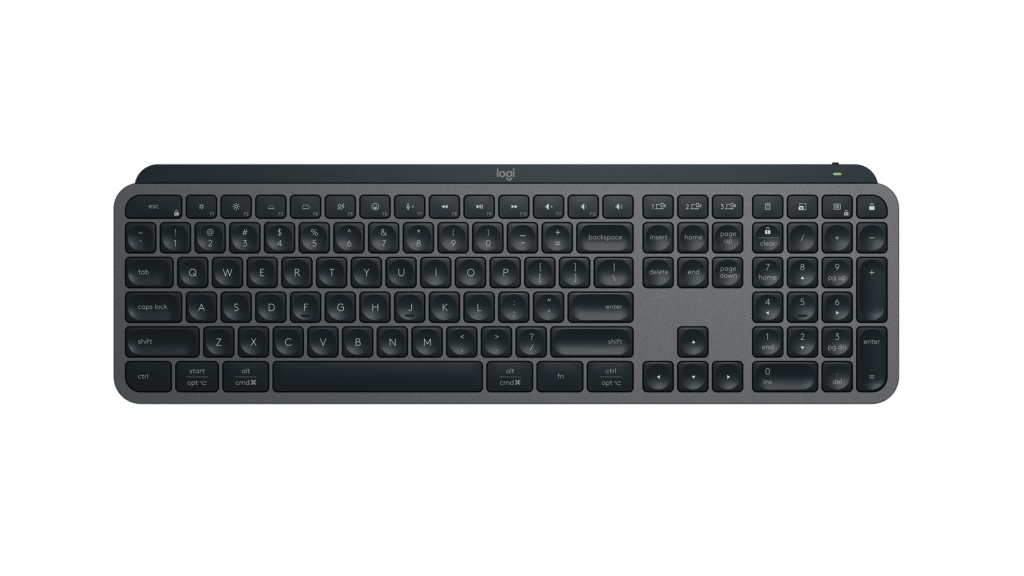
Logitech MX Keys S
We don't earn anything from this link.
What we like
- +Pairs with up to 3 devices over Bluetooth and switches with one key press
- +Up to 5 months per charge with the backlight off, or 10 days with it on
- +TechGearLab measured the switch at 60.15 gf, close to the roughly 55 gf office-keyboard average it tracks
What we don't
- −Scissor switches, not hot-swappable and not mechanical, so typing feel is lighter than the other 4 picks
- −No 2.4 GHz USB receiver included, Logi Bolt is sold separately
Skip it if
Skip it if you want tactile mechanical switches or a board with swappable switches.
The Practical Math · 3 years
| MX Keys S keyboard (one-time purchase, rechargeable, no consumables) | $119.99 |
| Total | $119.99 |
Also Great: Logitech G915 X TKL
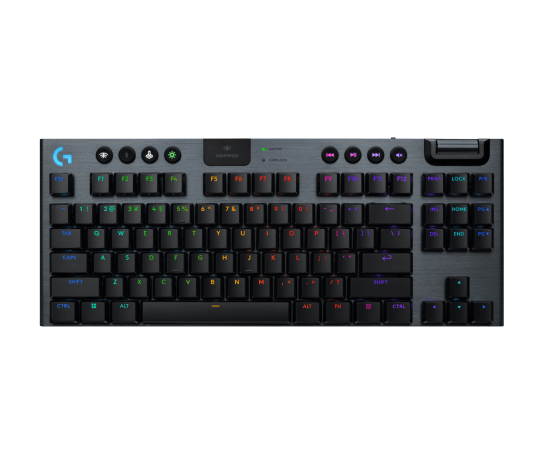
Logitech G915 X TKL
We don't earn anything from this link.
What we like
- +Tri-mode connection covers Lightspeed 2.4 GHz, Bluetooth, and wired USB-C
- +Low-profile GL mechanical switches in Linear, Tactile, or Clicky
- +TechGearLab clocked the Lightspeed sibling's single-key latency at 5 ms or less
- +2-year limited hardware warranty, the longest of the 5 picks
What we don't
- −At $229.99 it is the most expensive keyboard in this guide
- −Logitech's own battery estimate tops out at 236 hours with RGB off, and runs down faster with lighting on
Skip it if
Skip it if $229.99 is more than you want to spend; the Keychron K8 Pro covers similar tri-mode-style ground for a third of the price.
The Practical Math · 3 years
| G915 X TKL keyboard (one-time purchase, rechargeable, no consumables) | $229.99 |
| Total | $229.99 |
Best Value: Keychron K8 Pro (Aluminum Frame)
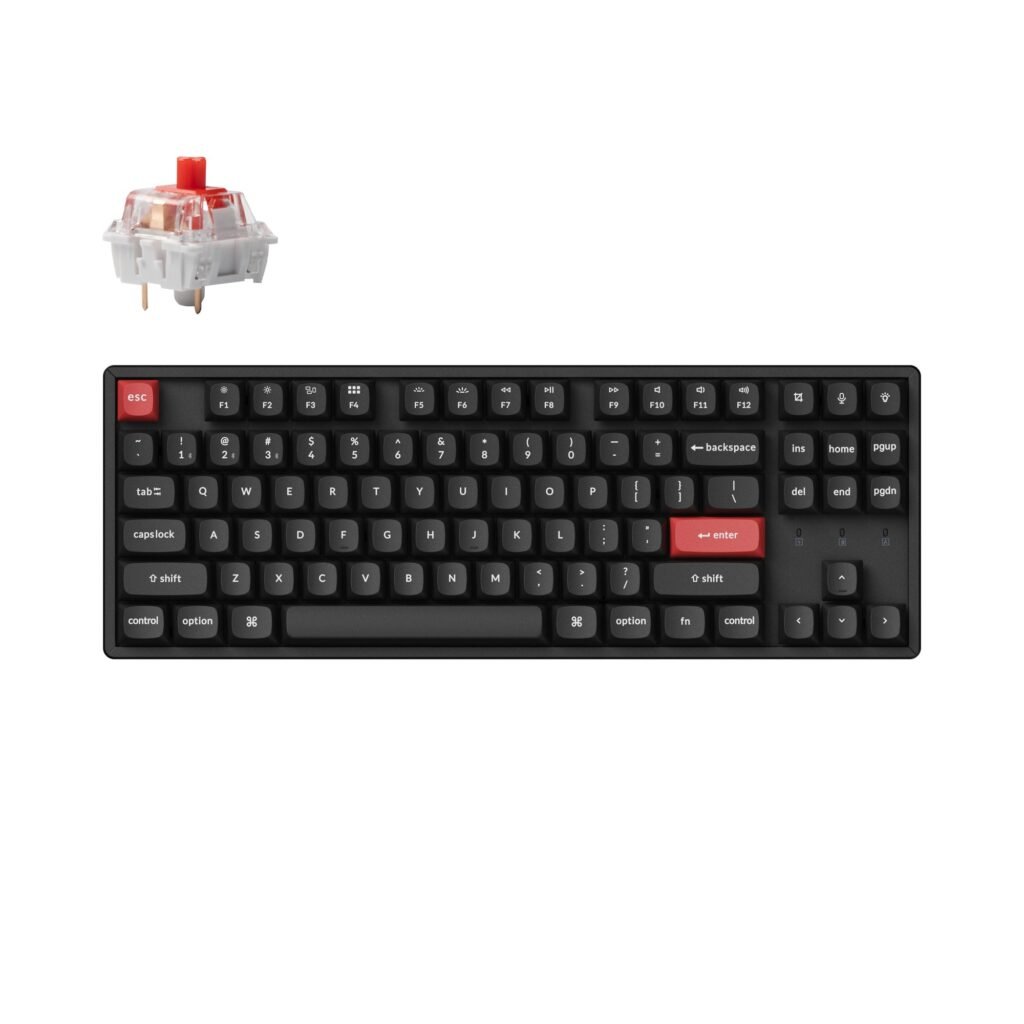
Keychron K8 Pro (Aluminum Frame)
We don't earn anything from this link.
What we like
- +$74.99 for an aluminum frame board with double-shot PBT keycaps
- +Bluetooth 5.1 pairs up to 3 devices, and USB-C doubles as a wired backup
- +Keychron's own product page shows a 4.94 of 5 average from 48 reviews
What we don't
- −The in-stock aluminum RGB configuration uses fixed K Pro Red switches, not the hot-swappable Gateron version
- −A buyer review on Keychron's own page describes Bluetooth dropouts that pushed them to run it wired
Skip it if
Skip it if you specifically want hot-swappable switches out of the box; that configuration was sold out at last check.
The Practical Math · 3 years
| K8 Pro keyboard (one-time purchase, rechargeable, no consumables) | $74.99 |
| Total | $74.99 |
Also Consider: Apple Magic Keyboard with Touch ID
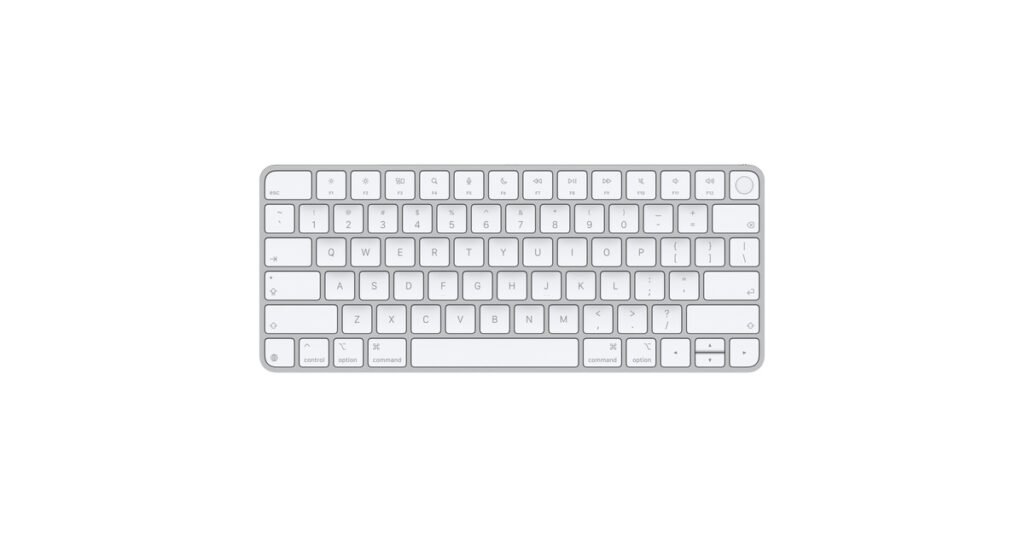
Apple Magic Keyboard with Touch ID
We don't earn anything from this link.
What we like
- +Touch ID sensor unlocks the Mac and approves Apple Pay and App Store purchases from the keyboard
- +About a month or more per charge, per Apple's own testing
- +TechGearLab called the typing feel crisp and said it is easy on the wrists
What we don't
- −Bluetooth only, pairs to one Mac at a time with no quick multi-device switch button
- −Requires a Mac with Apple silicon on macOS 15.1 or later, so it will not pair with Windows or Linux machines the way the other 4 picks do
Skip it if
Skip it if you split time between a Mac and a Windows PC and want one keyboard that quick-switches between both.
The Practical Math · 3 years
| Magic Keyboard with Touch ID (one-time purchase, rechargeable, no consumables) | $149.00 |
| Total | $149.00 |
Also Consider: Ducky One 3 SF Classic
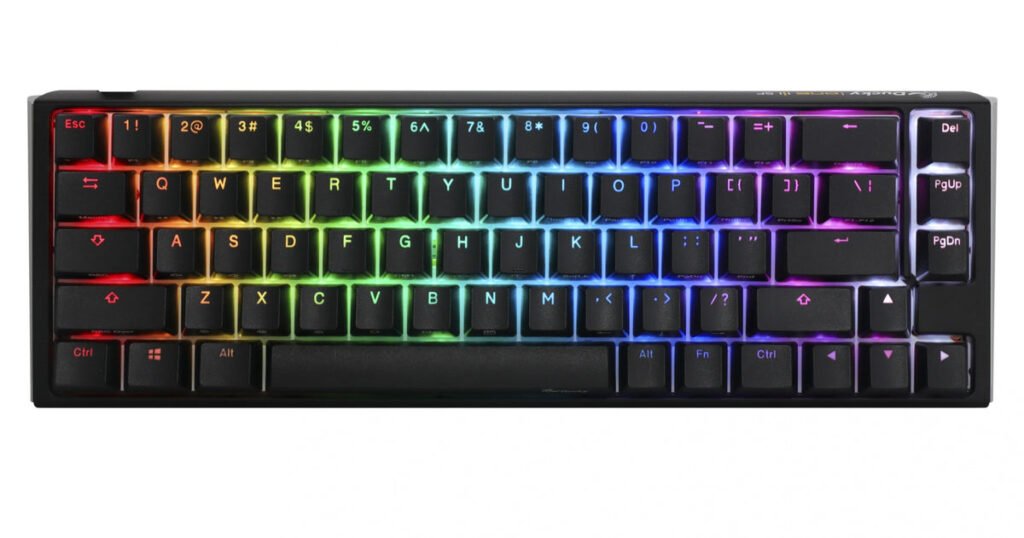
Ducky One 3 SF Classic
We don't earn anything from this link.
What we like
- +Hot-swappable Kailh sockets take Cherry MX and most similar 3-pin or 5-pin switches
- +Silicone plate and EVA foam dampening plus double-shot PBT keycaps on a $109 board
- +67-key 65% layout saves desk space without dropping arrow keys
What we don't
- −Wired only, no Bluetooth or 2.4 GHz, so it cannot pair with a phone or tablet
- −No battery to manage, but also no cordless option if you want one
Skip it if
Skip it if you need a cordless keyboard for a laptop, tablet, or living-room setup; it only works tethered over USB-C.
The Practical Math · 3 years
| One 3 SF Classic keyboard (one-time purchase, wired, no consumables) | $109.00 |
| Total | $109.00 |
What owners report
4.94 of 5 from 48 ratings on Keychron K8 Pro product page (seller-collected reviews) read Sep 16, 2026
Ratings shown on a seller's own page can leave out reviews the seller removed. We read the most recent reviews ourselves and summarize what repeats.
- −A repeated complaint on Keychron's own review page is an inconsistent Bluetooth connection, with at least one buyer switching to the wired USB-C connection to fix dropped input after several months of use.
- +Buyers consistently praise the K Pro switch feel and the aluminum frame's build quality, several calling out the RGB backlighting and the double-shot PBT keycaps as the reason they would buy the K8 Pro again.
I had issues with consistency on the bluetooth connection. I ended up switching to a wired approach.
Keychron K8 Pro product page, verified buyer review, Dec 2024
I never really leave reviews but had to come here and share my experience. Highly recommended to everyone.
Keychron K8 Pro product page, verified buyer review, Aug 2023
The specs that matter, in plain English
- Hot-swappable switches
- Sockets under each key that let you pull a mechanical switch out and press a new one in without a soldering iron, common on enthusiast boards like the Ducky One 3 SF.
- N-key rollover (NKRO)
- The ability of a keyboard to register every key pressed at once, rather than dropping or mixing up inputs when several keys are held down together.
- Actuation force
- How many grams-force (gf) of pressure a key needs before it registers a press; lighter switches need less force and can feel faster but are easier to bump by accident.
- Tri-mode connectivity
- A keyboard that can connect three ways, typically a 2.4 GHz wireless dongle, Bluetooth, and a wired USB cable, so you can pick the lowest-latency option for the task.
- Tenkeyless (TKL)
- A keyboard layout that drops the numeric keypad found on full-size boards, saving a few inches of desk width while keeping the main key block and arrow keys.
What changed
- Feb 8, 2026 First published with prices checked on this date.
- Sep 16, 2026 Prices and recalls re-checked.
Sources we read
- MX Keys S product page, Logitech read Sep 16, 2026
- Keychron K8 Pro QMK/VIA Wireless Mechanical Keyboard product page read Sep 16, 2026
- Keychron warranty policy read Sep 16, 2026
- Magic Keyboard with Touch ID product page, Apple read Sep 16, 2026
- Magic Keyboard with Touch ID (USB-C) tech specs, Apple Support read Sep 16, 2026
- G915 X TKL Wireless RGB Gaming Keyboard product page, Logitech G read Sep 16, 2026
- Warranty, G915 X LIGHTSPEED TKL, Logitech Support read Sep 16, 2026
- Ducky One 3 SF Classic product page, Mechanical Keyboards read Sep 16, 2026
- Logitech MX Keys S Review, TechGearLab read Sep 16, 2026
- Apple Magic with Numeric Pad Review, TechGearLab read Sep 16, 2026
- The Best Gaming Keyboards, Lab Tested & Ranked, TechGearLab read Sep 16, 2026
- Logitech MX Keys S Review, RTINGS read Sep 16, 2026
- Keychron K8 Pro (K Pro Series) Review, RTINGS read Sep 16, 2026
- Logitech G915 X LIGHTSPEED Review, RTINGS read Sep 16, 2026
- Ducky One 3 Review, RTINGS read Sep 16, 2026
- CPSC SaferProducts.gov recall database query, product name keyboard read Sep 16, 2026
- Recalls & Product Safety Warnings, CPSC.gov read Sep 16, 2026
We research products from published specs, certification databases, independent lab reports and owner reviews. We do not test products in our own lab. How we score.